For those always on the hunt for the latest app, Evernote may seem like old news. However, for those not well-versed in the latest tech, we’re here to tell you how Evernote could help you get organised, and delete a ton of unnecessary apps from across all your devices.
What is Evernote?
If you haven’t heard of Evernote, this is the app that brings together all those little pieces of information you need but don’t get round to filing. It’s a digital notepad, a web clipper and an organiser all rolled into one – hugely helpful if you’re an avid content reader as most of us are.
Evernote was founded in 2000, and since then it has grown in features and functionality to such an extent that today the company is worth just over $1 billion. So, what makes it so special? Have a look below to see what Team Organic thought of the app, and how it could be useful for small businesses.
Notes, notebooks and stacks
Within Evernote, users are able to create notes which are stored in notebooks. Notes can be anything from photos that need saving, random bits of information you don’t want to lose or content you want to read later. Notebooks can help you organise your notes so they don’t get muddled up and stacks allow you to group notebooks together.
While Evernote’s notes are incredibly useful our main gripe with them is the fonts. They are non-uniform across different devices and there is no option to match destination formatting, as with a Word Document.
Aside from this, the note, notebook and stack system is one that works really well. It’s simple, clean and easy organisation for when you need to find a document quickly.
Functionality
Evernote’s functionality across devices is one of its most impressive features. While this is a feature that many cloud software apps offer, few manage to maintain the same level of functionality across each platform as Evernote.
Users can manage their Evernote account most extensively on desktop, which comes as no surprise. The simple layout allows users to pick out their recent notes, manage notebooks and draft lengthy documents.
Meanwhile, on tablet and phone devices, it’s easier to use Evernote to save pictures into notes, keep short memos and upload written notes.
It’s easy enough to need to flip between uploading a picture from your mobile device and organising it on a laptop as once you’ve made a change on one device, syncing occurs almost instantly.
Evernote Web Clipper
In short, the Web Clipper allows you to take a snapshot of an article and save it to your Evernote notes.
On downloading the Chrome extension of the Evernote Web Clipper, you’ll be greeted with a quick start page which will give you a run through of the tool with tips on how to get the most from it.
If you take a screenshot with the extension, you are able to annotate it with the various tools supplied to you in the Web Clipper. You can see an example of what this looks like below.
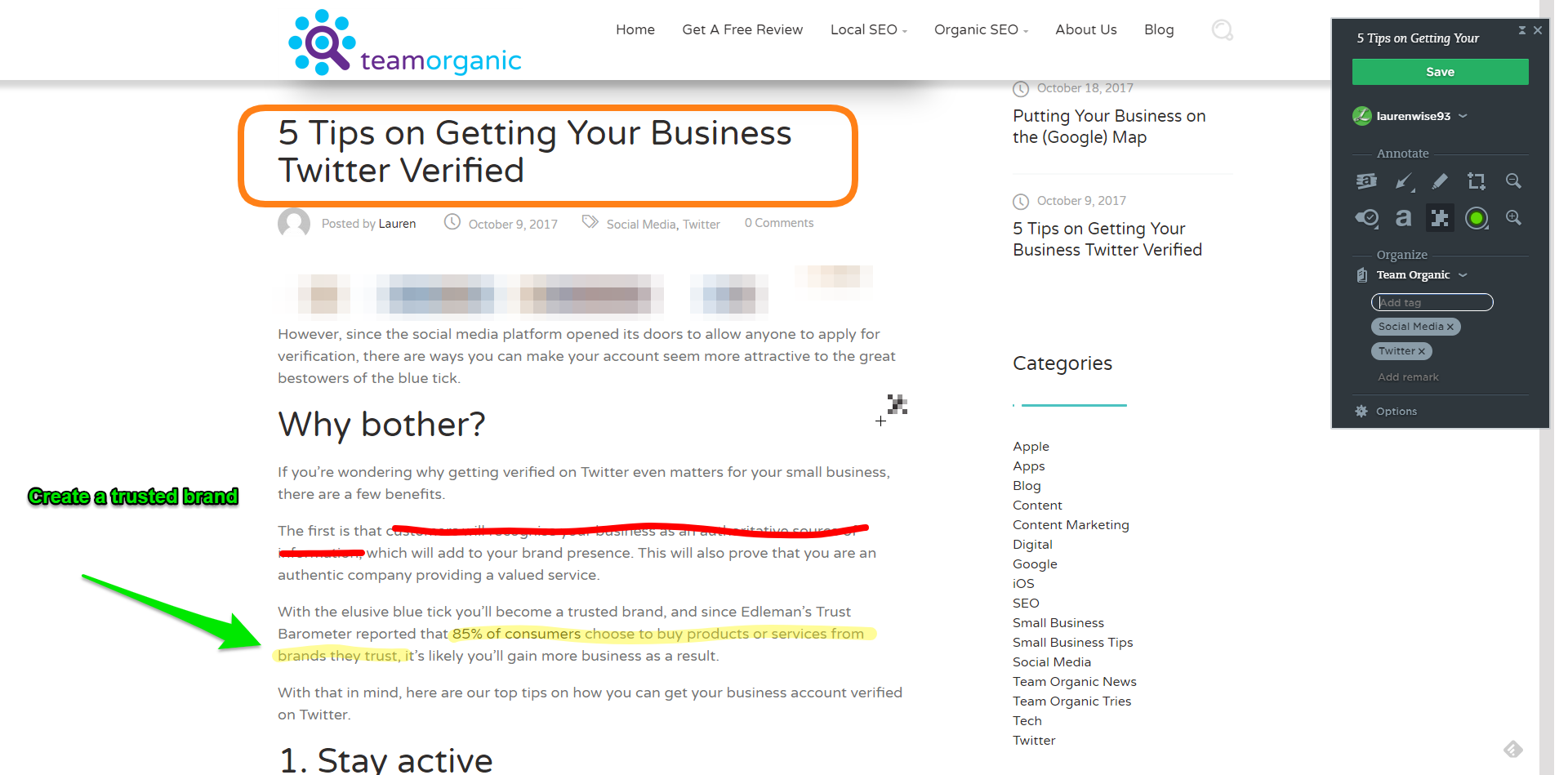
Once you save your handiwork, this will then appear in Evernote in the format seen below.
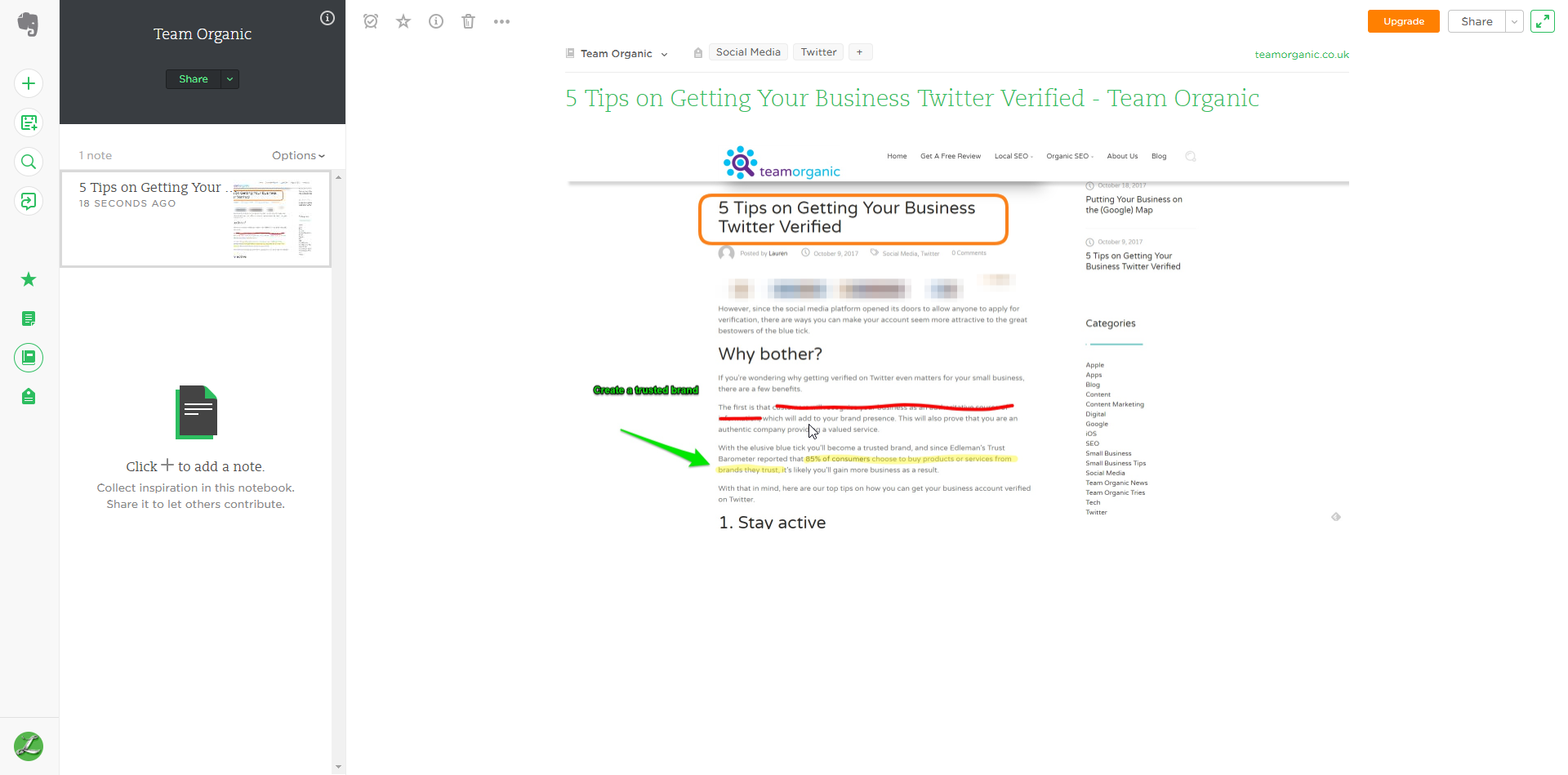
These tools are handy for those studying as you’re able to keep research in one place, creating a simple system for being able to find information.
The numerous tools make picking out key information a doddle and can be a great tool for anyone who needs to revise.
Summary
The most important thing for Evernote newbies to remember is that the more you use and put into the app, the more useful it will become.
If you download it expecting a life-changing app to appear with little to no effort, you will be sorely disappointed. However, if you are willing to take a little extra time to input information, you will save plenty of time in the long run.
Overall, Evernote remains one of the most comprehensive digital organisers on the market.
Have you tried Evernote? What do you think? Share your opinions in the comment section below or get in touch on Twitter or Facebook!