On September 19th iOS 11 arrived! I’ll be honest; I waited a couple of days and checked Twitter for any major problems before updating my devices. Once we appeared to get the all clear, I went for it.
I’m happy to report iOS 11 has settled on my iPhone 6s nicely.
However, there is feedback.
Design Perfectionism
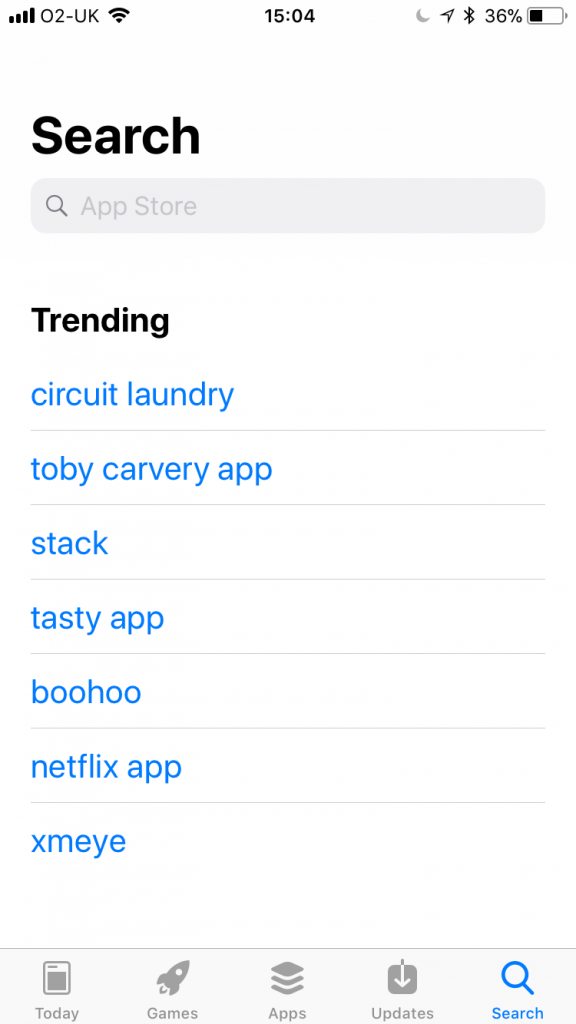
Apart from the buzz and excitement around new features which we’ll get onto in a moment, there appears to be a backlash on the way in which Apple has implemented some design changes.
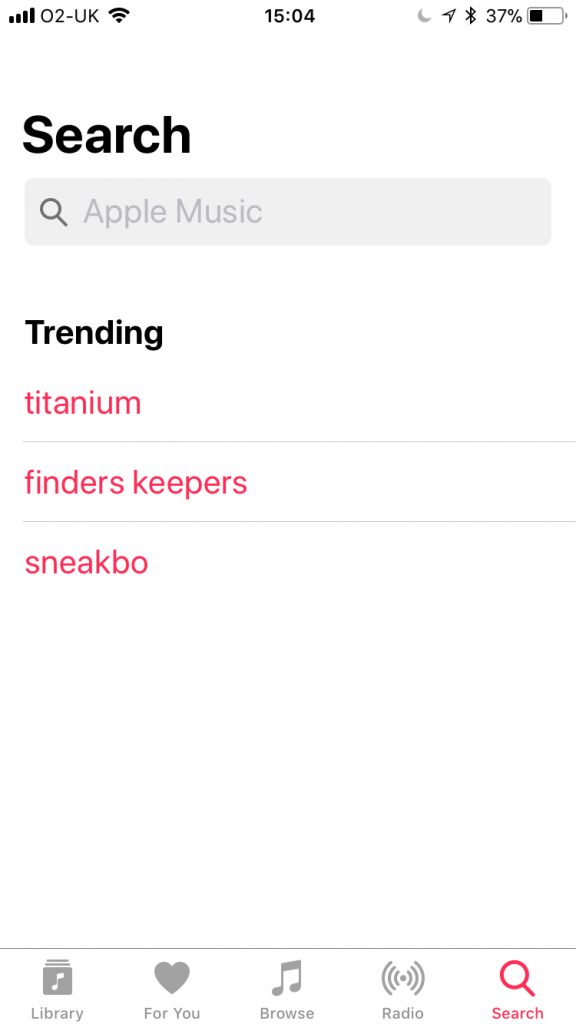
Certain designers are pointing out how the now larger titles aren’t lined up the same in different apps, animations, when you click on the search box, aren’t the same and how the font style and colour differs between the trending apps list in the App Store and the trending music in the Apple Music app.
Personally, this wasn’t the first thing I noticed but I’m not a designer. Also, I feel this may have been a conscious effort on Apple’s part to distinguish between different applications such as the App Store and Apple Music, granted this is something compared to the unified UI that Apple use to pride themselves on.
It’s Not All Doom and Gloom
So what’s good about iOS 11? Well, I’d say everything, 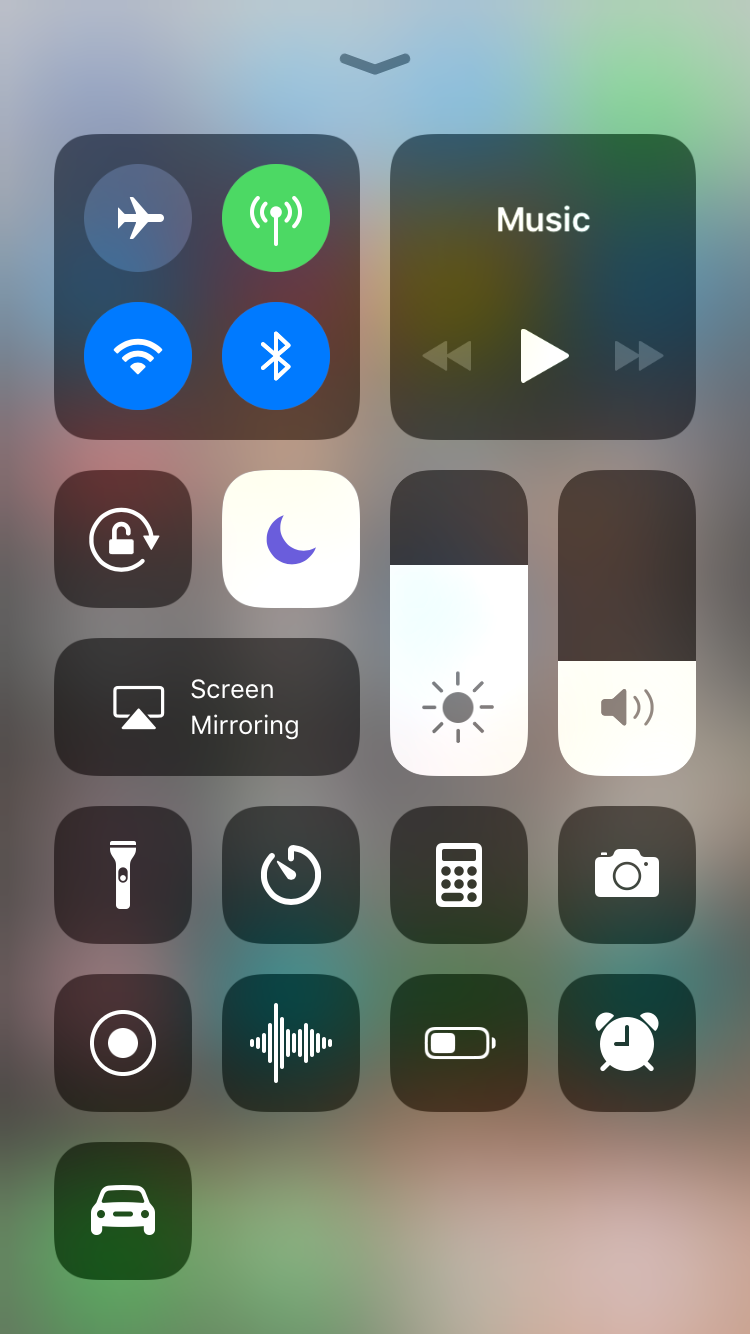 but here are some of our favourite features.
Customisable Control Centre
The Control Centre has been updated not only in design but also in functionality. You can now choose which shortcuts you’d like to appear in your Control Centre and in which order.
This is a massive improvement and feels like the feedback of “not very customisable” is finally getting through to Apple.
Screen Recording
Now, this was a surprise. Discovered when customising the control centre, it’s now possible to record your screen whatever you might be doing. Though its purpose is still unclear, we can only imagine Apple has plans for this new feature.
Siri Improvements
The Siri voices have been improved and now sound much more human. Siri’s intelligence has also been improved. Able to make recommendations depending on your use of apps, search results and translate into different languages, Siri is packing some serious improvements. Yet Siri still lacks the basic voice commands that are already commonplace on Android devices.
Even Notes got an update: Document scanning
Personally, my Notes is full of shopping lists, old Christmas lists and half-finished song lyrics. Now, however, Apple has taken their Notes app to a new level by introducing document scanning, which surprisingly works very well. Not only can it pick up and adjust the lighting to suit but also crops the image ready for you to fine tune. Handwriting isn’t even off limits as the scanner now picks up on your style of handwriting (though I’m sure that’d be tested with my terrible style) and scan handwritten notes too.
Google Maps gets lane guidance: We’ve wanted this forever
I use Google Maps A LOT. In fact, I’d say I couldn’t live without it. I use it to get to new places, gauge any delays on familiar routes and route plan trips out. As much as I advocate Google Maps, I did feel it was missing something all its competitors had: Lane guidance. Well, the good news is it’s here! On top of that, Apple has also started including indoor mapping for places such as airports, shopping centres etc. How widely applied this is in the UK is unknown but Apple promise this will expand dramatically over time.
What was Apple thinking?
iMessage
Apple continues to try to impress us with iMessage effects with the inclusion of “Bubbles” and “Spotlight” but to be honest, had I not been researching iOS11 I wouldn’t have known iMessage had any effects at all, which makes me wonder how popular these options are in the grand scheme of things.
If you’re interested in trying them yourself, here’s Apple’s guide.
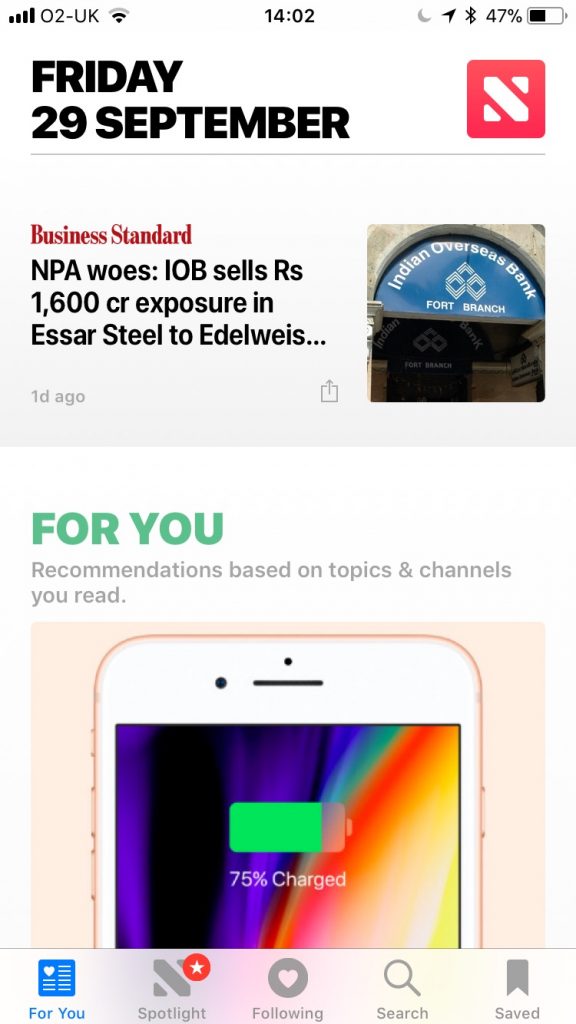
Apple News: Does anyone use this app?
Personally, I find BBC News app more convenient. However, the new UI is not to be ignored in iOS 11. It’s beautiful and almost makes me want to use the app more, but I won’t.
Do Not Disturb While Driving Mode
Seriously Apple, what do you think hands free is for? I have my phone on Do Not Disturb anyway so notifications only come up if I’m using Google Maps, which yes can be annoying.
The option to switch this on has continued to pop up on my screen when I have gotten out of my car and if not spotted can keep the screen active in your pocket, which I found out when my pocket began to get very warm!
Verdict
Overall, it’s a massive improvement on iOS 10. The features feel wanted, organic and show signs that what Apple have planned for the near future is quite exciting.
Additionally, I was pleasantly surprised to find my 4-year-old iPad Mini 2 also got the update. I hope this will silence the critics, at least temporarily, of accusing Apple of making their own devices obsolete with a swipe of a software update.
If you’re not a designer then you’ll probably love this update. If you are a designer, those annoying gaps between text and headers are really going to get on your nerves.
Have you updated to iOS 11 yet? Let us know your thoughts in the comments!